Savings and goals
Two menus that work as a pair: Savings for recording money saved or invested, and Goals for what you want to reach. Both are on the Personal plan and above.
Recording savings
Section titled “Recording savings”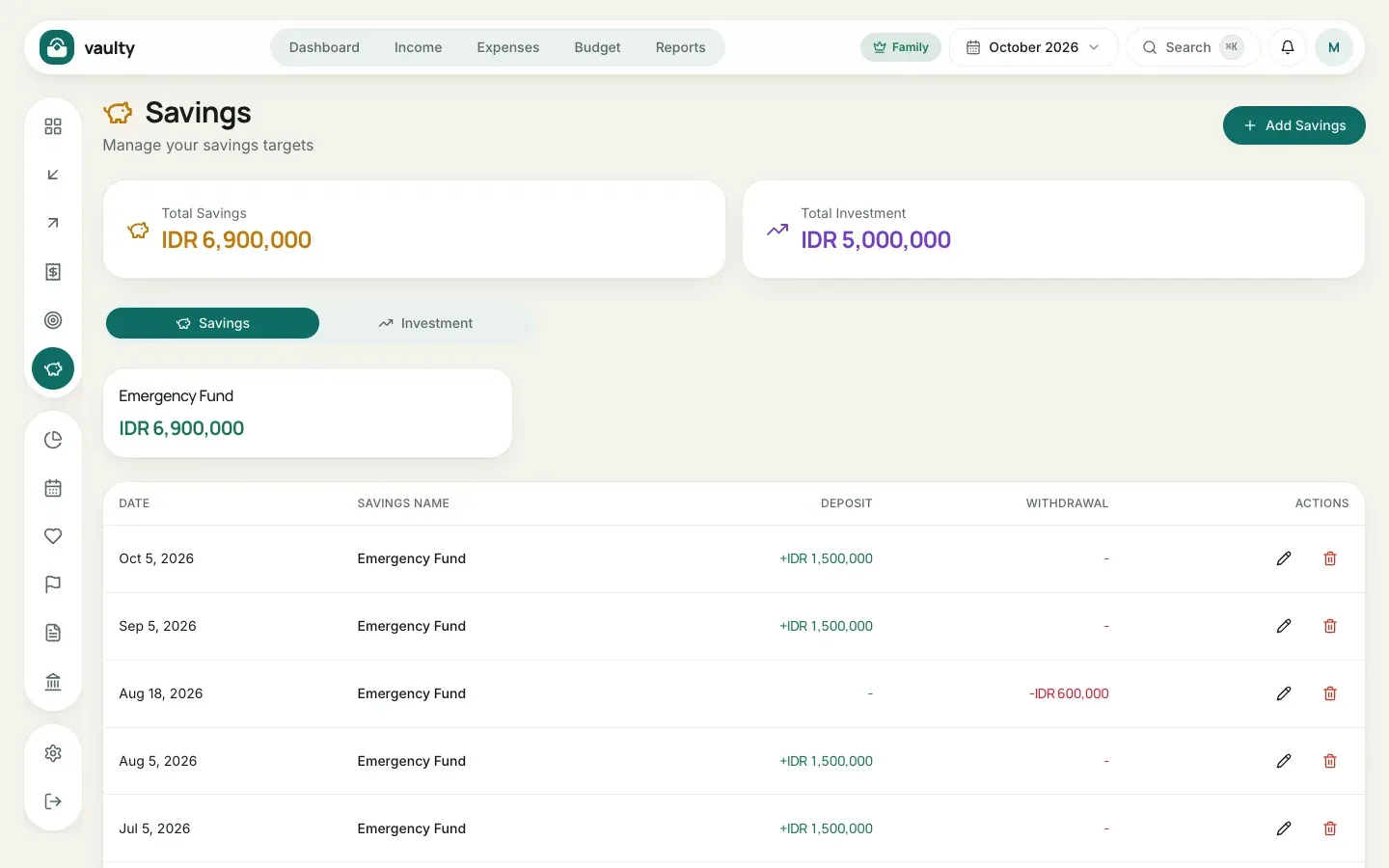
- Open Savings and click Add Savings.
- Choose the Date and Type (Savings or Investments).
- Enter the Savings Name, for example “Emergency Fund” or “Mutual Fund”. If that name was used before, it shows up as a suggestion under the field, so you don’t have to retype it and it doesn’t get recorded as a separate account over a spelling difference.
- Enter a Deposit for money going in, or a Withdrawal for money taken out. Thousand separators appear automatically as you type, so large amounts stay easy to read.
- Click Add.
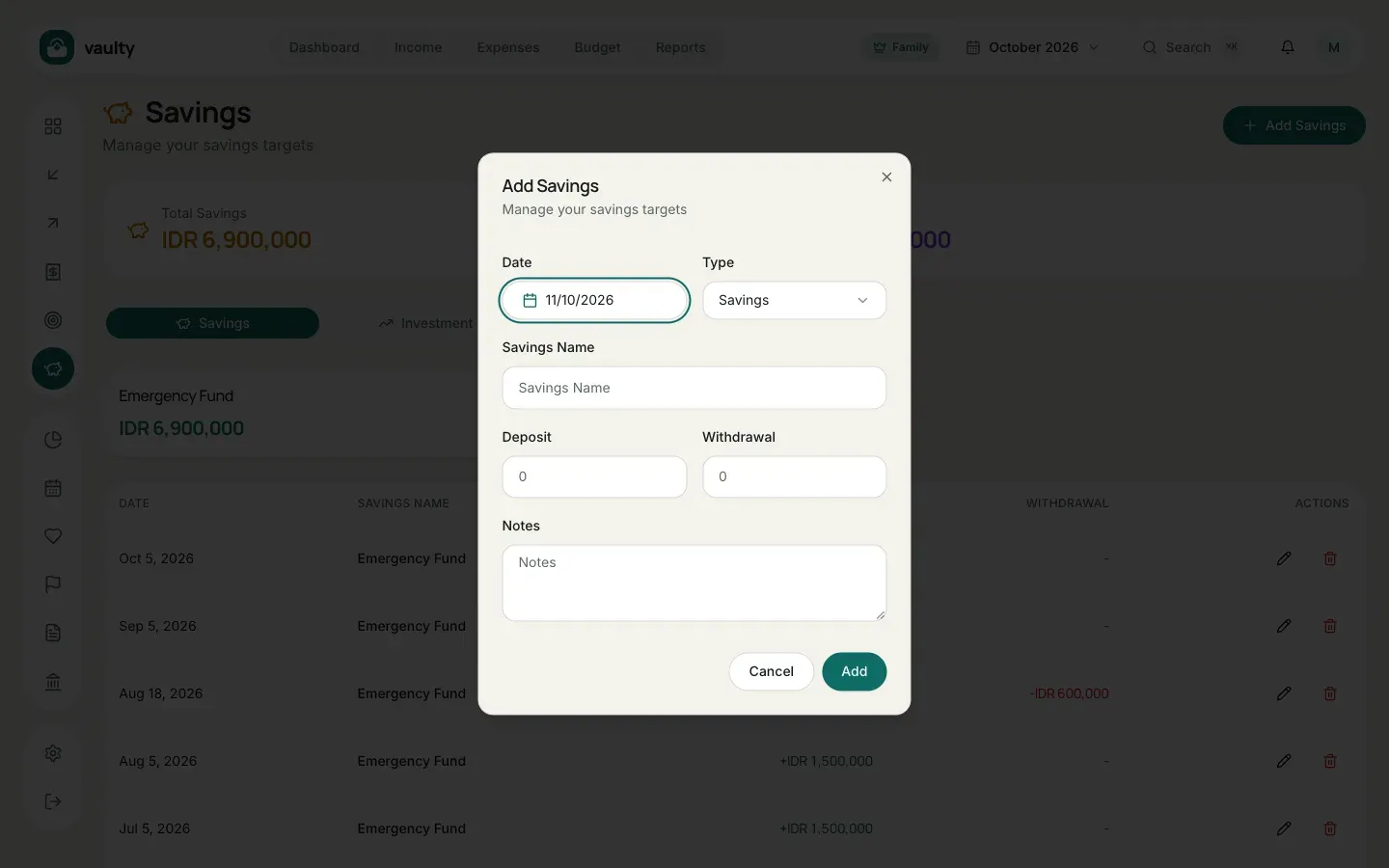
Each account’s balance is deposits minus withdrawals, shown on the cards above the list.
Money you withdraw from savings or investments goes into your wallet balance, but it is not counted as income. Total Income, the cash flow chart, and the financial health score only count money that is genuinely new, like salary or a bonus.
Creating a goal
Section titled “Creating a goal”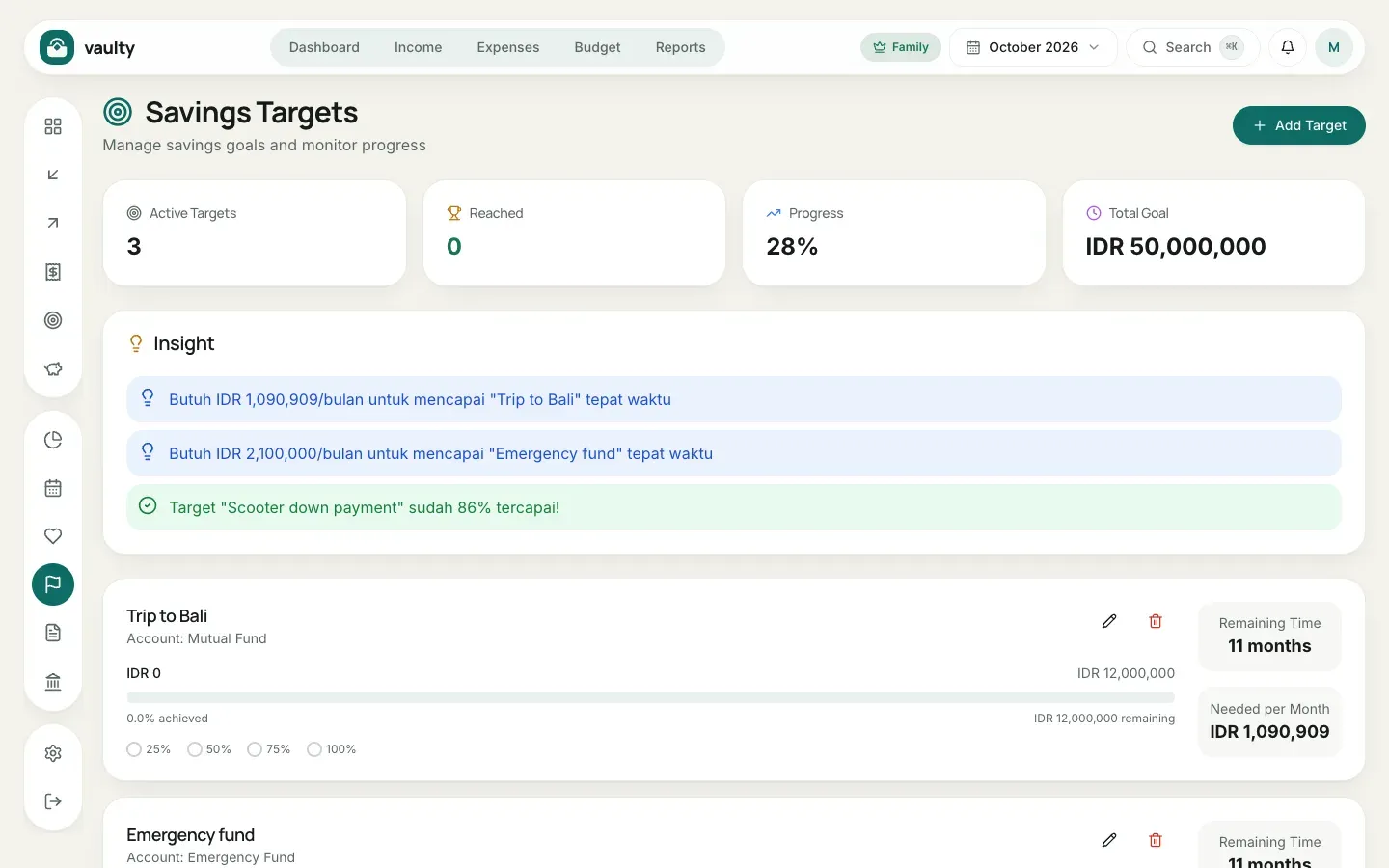
- Open Goals and click Add Target.
- Enter the Target Name (for example “Trip to Bali”) and the Target Amount.
- Choose the Connected Savings Account: that account’s balance counts as progress.
- Pick the Start Date and Target Date.
- Click Add.
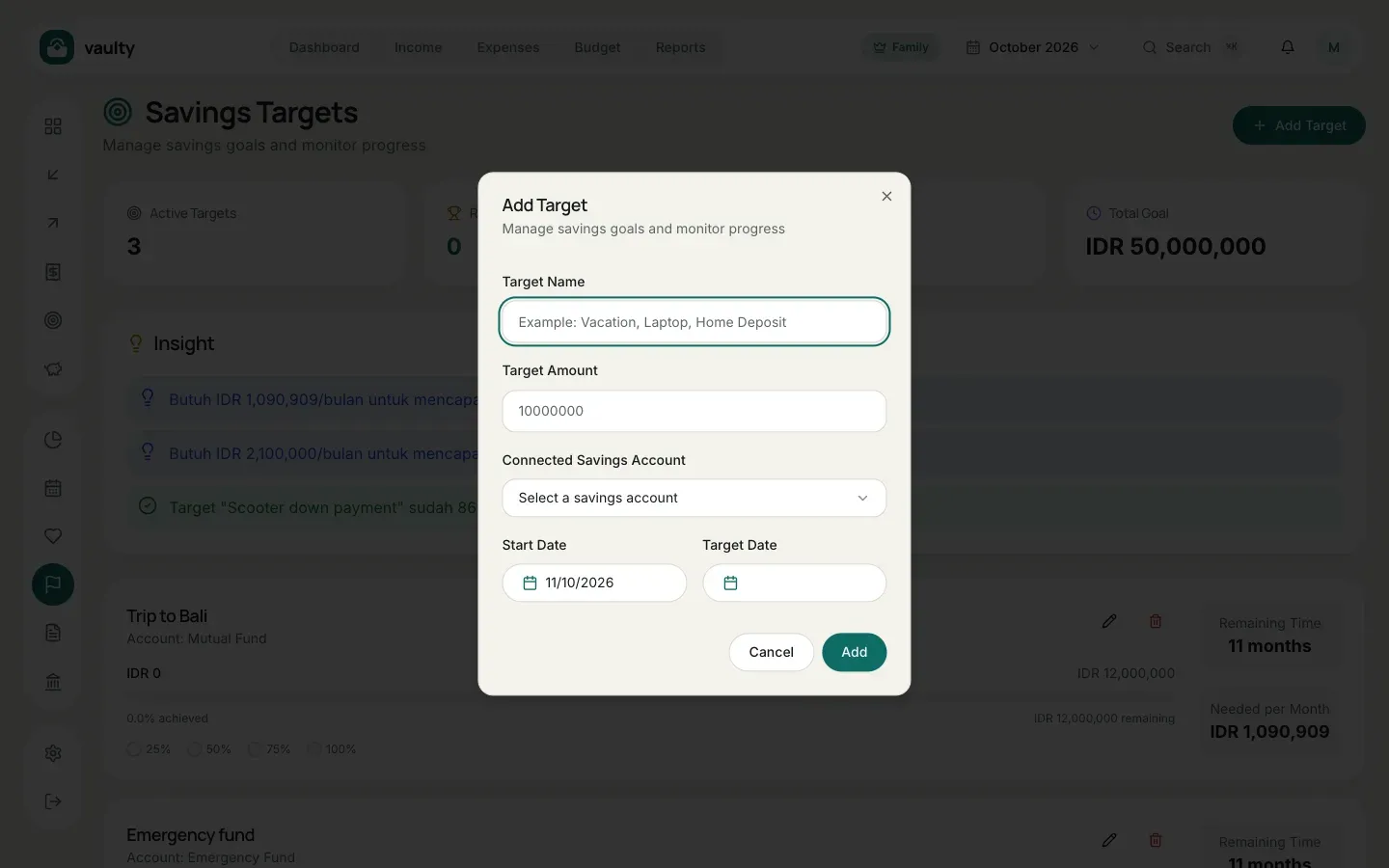
Each goal shows progress, Remaining Time, and Needed per Month: how much to save every month to arrive on time. The Insight section at the top tells you which goals are nearly done.